
Custom business application
KISS-Web Warehouse Management System
A responsive warehouse-management application for inventory, pallet locations, orders, fulfilment, reporting and QR scanning.
- Application type
- Database-backed internal business system
- Deployment
- Private warehouse application
- Related service
- Custom Web Applications
- ARS Tech Solutions role
- Planning, interface design and full-stack development
Project overview
One application for connected warehouse work
KISS-Web connects day-to-day warehouse records and workflows in one full-stack, database-backed interface. The published screens are redacted to protect operational data.
The problem
Fragmented warehouse work needed one clear system.
Inventory, pallet locations, stock movement and order fulfilment needed one consistent system instead of disconnected manual processes.
The ARS solution
A responsive application shaped around the workflow.
ARS Tech Solutions planned and built a connected application that keeps the records and actions for each warehouse workflow clear.
Major features
Warehouse workflows in one application
Each feature supports a specific operational task while sharing connected data.
Warehouse dashboard
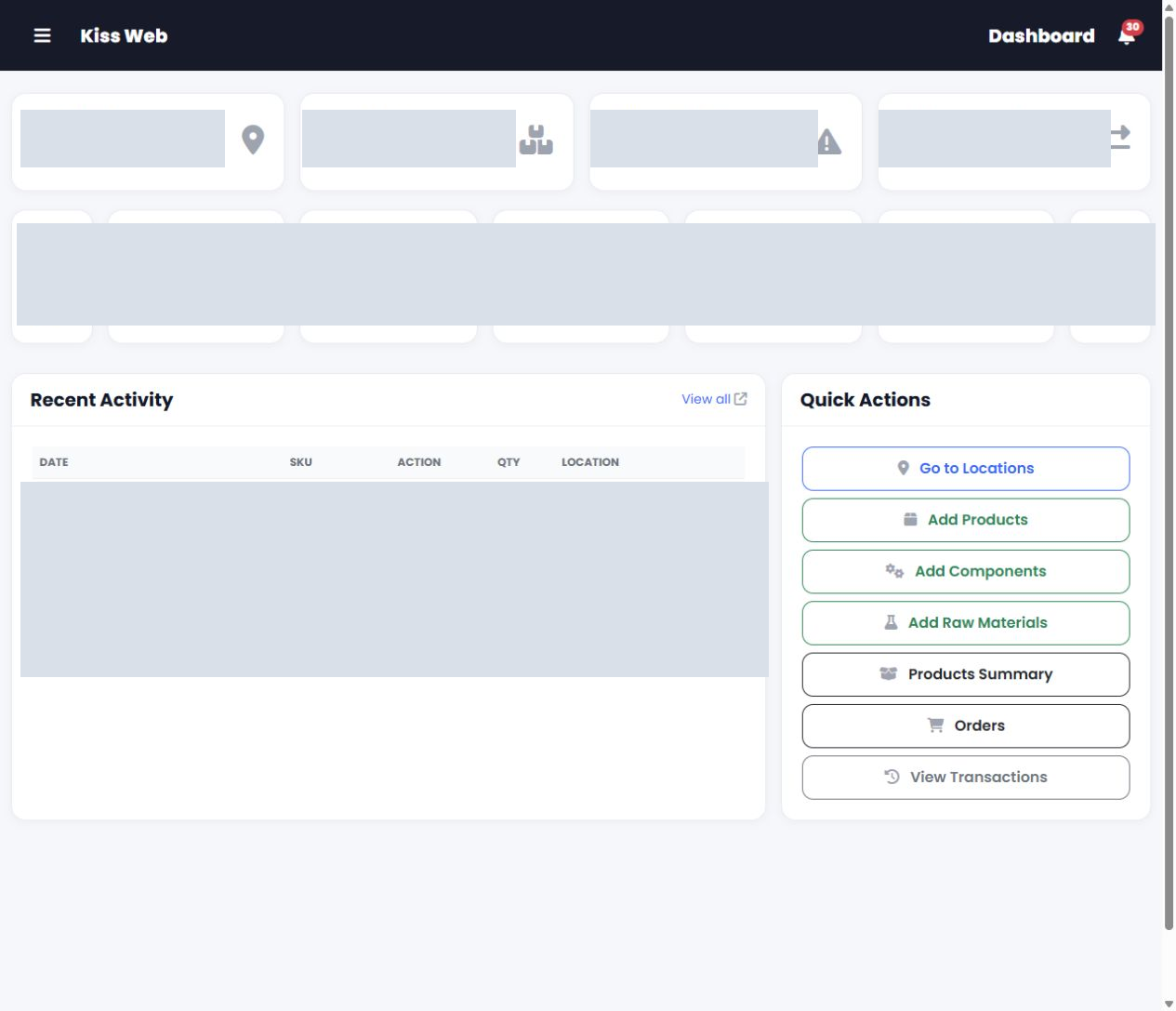
An operational overview brings important warehouse activity and common actions into one starting point.
Locations & pallet inventory
Warehouse and location-based interfaces keep pallet, quantity and stock information organised.
Product & SKU summaries
Product-level views make it easier to review SKU records and the quantities held across locations.
Add & import pallets
Pallet records can be added in the interface or prepared through the available import workflow.
Order management
Orders can be created, reviewed and followed through clear operational statuses.
Picking & checking
Fulfilment work is supported through connected picking and checking steps before dispatch.
Dispatch documents
Courier details, packing slips and label-related actions sit alongside the order workflow.
Reports & charts
Orders and operational activity can be reviewed through date-based reports and visual summaries.
History & notifications
Transaction history and in-application notifications help users follow recent activity.
QR pallet scanning
The browser camera can open pallet records by QR code, with manual pallet ID entry as a fallback.
Desktop application gallery
Real screens across the warehouse workflow
These supplied captures show different parts of the application. Operational information remains redacted in every published image.
Mobile experience
Responsive where warehouse work needs it
KISS-Web adapts its operational screens for phones without presenting the entire system as mobile-first.
See KISS-Web in action
A walkthrough of selected application screens
The walkthrough is assembled from the same real, redacted KISS-Web captures used in this case study.
Technology
A practical full-stack application
KISS-Web combines a server-side application, relational database and responsive browser interface.